Retail
Gemstone Shop
Modern Retail
Gemstones & healing crystals — demo catalog
Live platform preview
Explore how IMNORIO helps you build, manage, and grow a professional ecommerce store from one simple platform.
Explore at your own pace — no signup
Each industry theme has its own demo storefront on IMNORIO — browse categories, products, and checkout without signing up.
View all themes →Retail
Modern Retail
Gemstones & healing crystals — demo catalog
Wholesale
Wholesale Catalog
Trade buyer catalog — demo
Fashion
Fashion Lookbook
Contemporary apparel — demo lookbook
Categories
Jewelry
Jewelry Showcase
Fine jewelry presentation — demo gallery
Categories
Furniture
Furniture Gallery
Room collections — demo gallery
Categories
Electronics
Electronics Store
Tech & gadgets — demo catalog
Categories
Manufacturing
Manufacturing Direct
Factory-direct catalog — demo
Categories
Export
Export Catalog
International trade catalog — demo
Categories
Choose what you want to explore first — storefront shopping experience or back-office management.
Inside IMNORIO
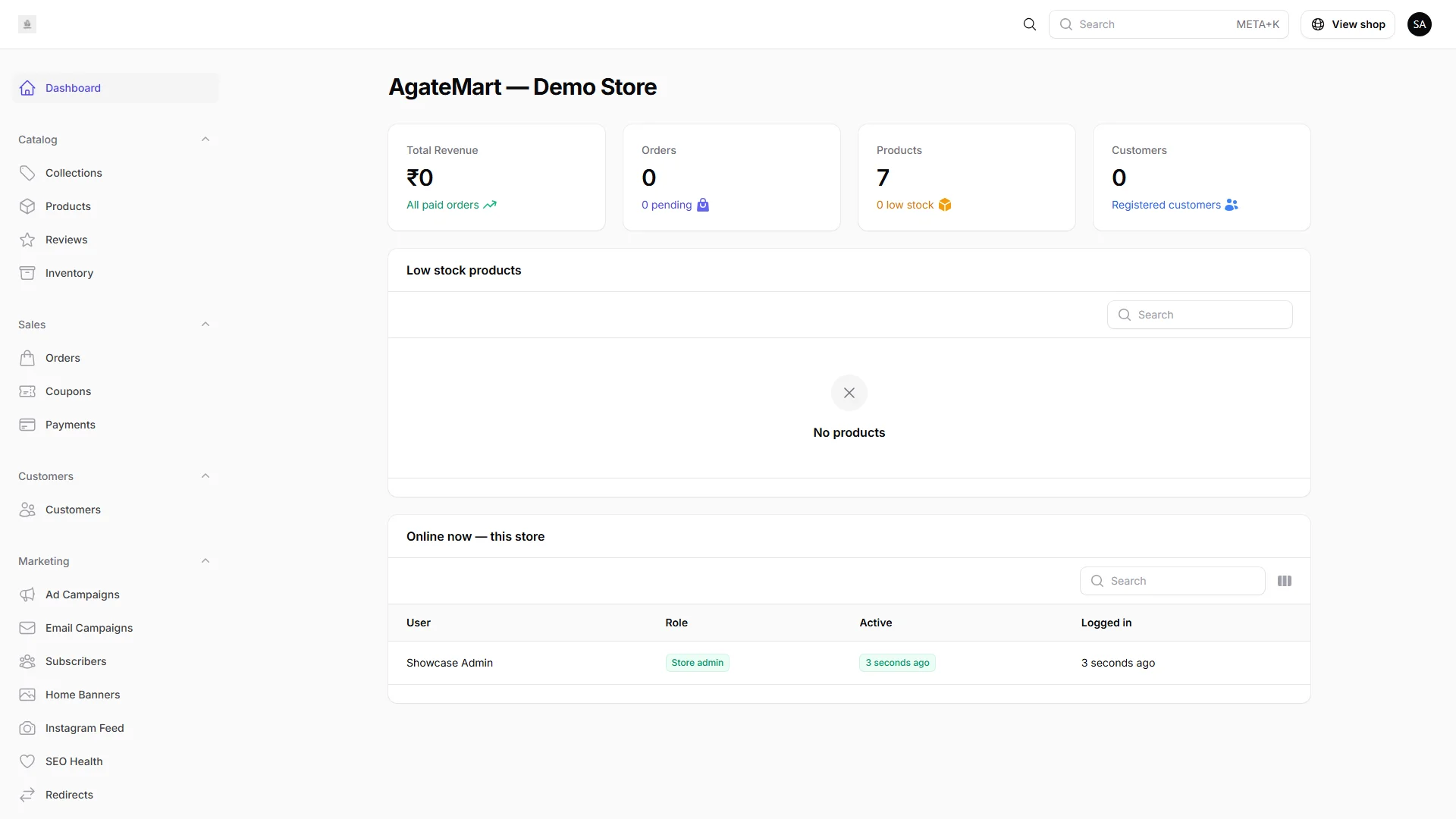
This is the interface you will use to run your store — dashboard widgets, catalog tools, and settings grouped for everyday work.
Revenue, orders, and catalog metrics without exporting spreadsheets.
Create, edit, and organize products with images and SEO fields.
Review new orders, update status, and inspect payment details.
Branding, payments, shipping, and SEO — grouped in clear tabs.
What happens after you like what you see.
Review pricing, explore the demo, or contact us with your catalog size and goals.
Connect your domain, pick a theme, add products, payments, and shipping — with guided setup.
Go live on your domain with SSL, checkout, and order management ready from day one.
Use SEO tools, AI content, marketing features, and analytics as your catalog scales.
The demo is designed to show the full IMNORIO workflow — from browsing to managing your store.
See the full capability list on our features page.
Pick an industry theme and walk through a live sample shop — browse products, add items to cart, and see how checkout works. No signup required.
Storefront preview placeholder
Placeholder layouts illustrating the storefront and admin experience. Your live store will use your brand, products, and domain.
Want a guided walkthrough? Request demo access
IMNORIO is built for businesses that sell online — whether you are launching or upgrading.
D2C brands moving beyond social selling to a professional store.
B2B catalogs replacing phone orders and PDF price lists.
Producers selling direct with structured SKUs and inventory.
Businesses selling across borders with local payment and checkout options.
Partners evaluating a repeatable platform for client stores.
Operators comparing platforms before migration or launch.
The demo shows what IMNORIO can do. Your production store is configured for your business.
Compare plans or contact sales to discuss your setup.
Honest positioning — choose the path that fits your business stage and technical appetite.
Plugin stacks suit teams who enjoy assembling WordPress-style setups.
IMNORIO delivers catalog, checkout, orders, SEO, and admin in one platform — fewer moving parts, fewer surprises.
Simple builders work for brochure sites without real commerce.
IMNORIO is built for selling — products, cart, wholesale, and flexible payments on your domain.
Custom development wins for highly bespoke software engineering.
IMNORIO launches faster with ongoing platform updates — without funding a full dev team from scratch.
Launch checklist
Use this checklist during onboarding — our team helps you tick each item so your store is ready to accept real orders.
Get launch helpConnect your business domain with HTTPS from day one.
Choose a theme preset and apply your colors, logo, and homepage banners.
Add products, collections, images, and inventory levels.
Enable COD, Razorpay, or Stripe based on how your customers pay.
Configure delivery options and test the full purchase flow.
Publish policies, meta titles, and sitemap-ready URLs before go-live.
Answers before you open the demo.
Compare plans or talk to our team about launching on your own domain.