Interactive Product Tour

See how IMNORIO runs your entire store

A guided walkthrough of store setup, products, orders, customers, reports, SEO, billing, AI, notifications, and themes — with real admin screenshots.

10 modules · ~5 min read · Demo data only

Step-by-step walkthrough

Every module, one timeline

Scroll through ten core areas of the IMNORIO admin. Each stop includes a large screenshot, key benefits, and a link to explore further.

Step 1 of 10

Store Setup

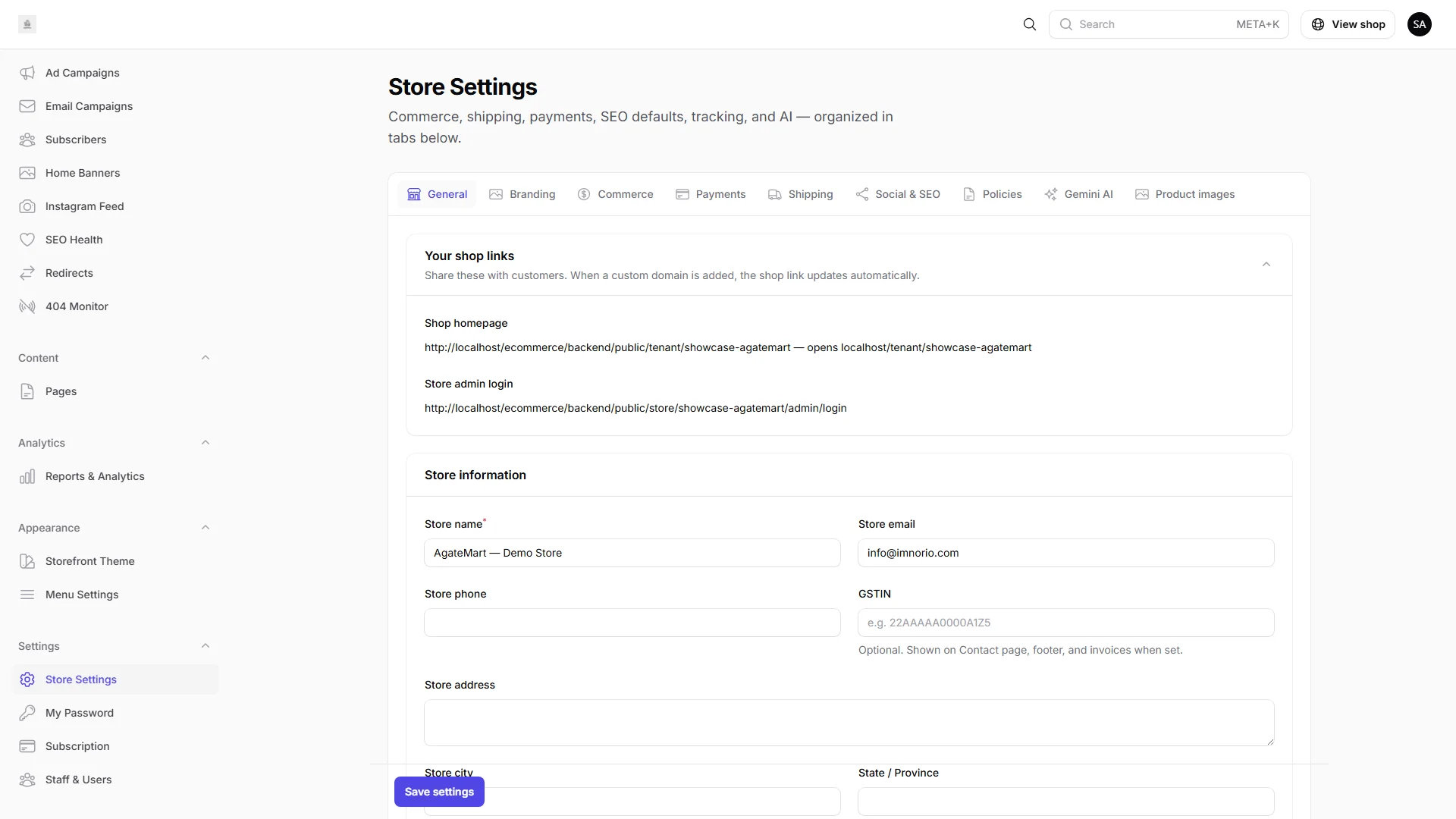
Launch with your business identity, contact details, branding, and commerce settings grouped in one admin hub — no scattered spreadsheets.
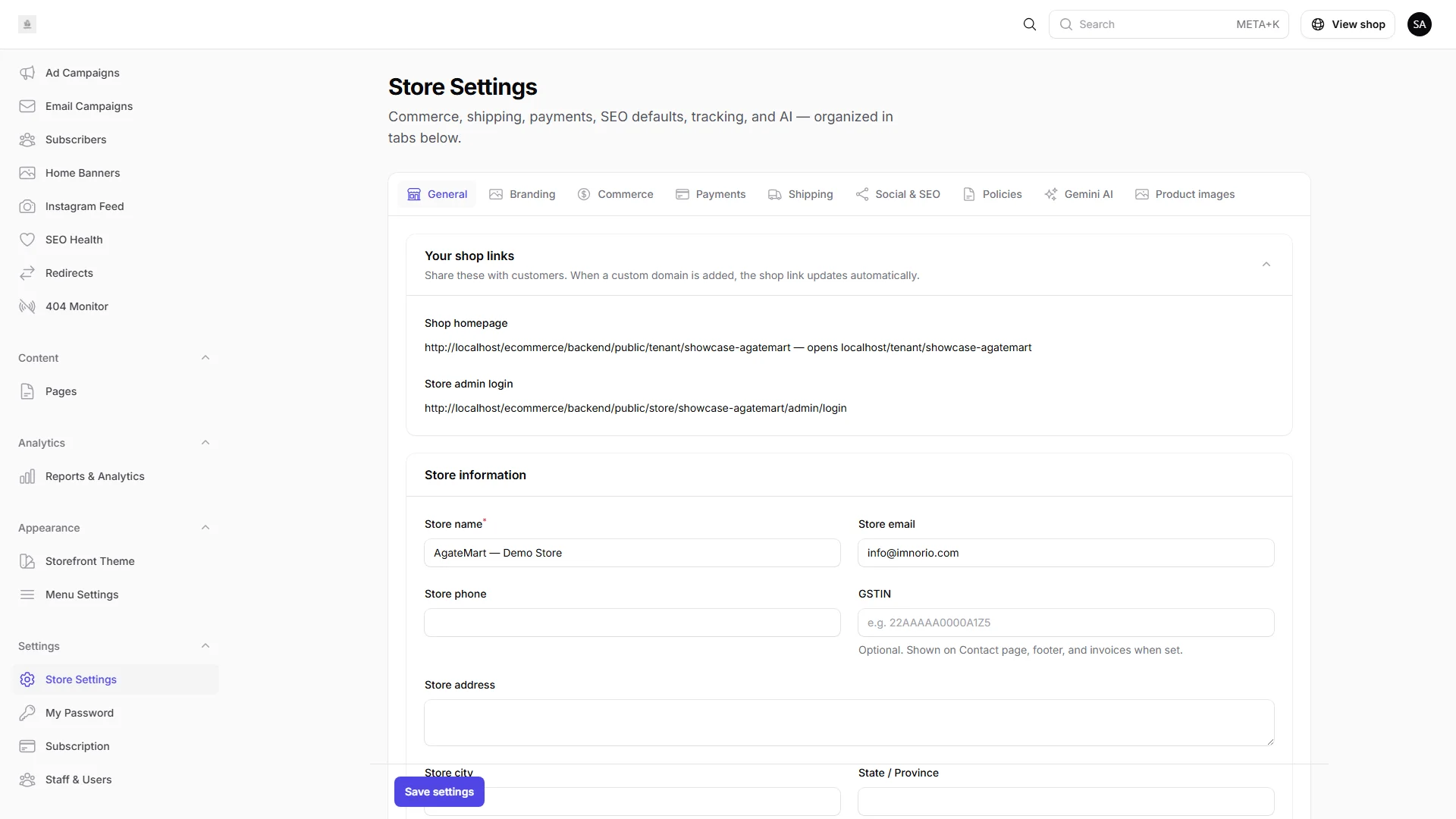
IMNORIO store settings with branding, payments, and shipping configuration tabs.

Key benefits

  • Store name, email, phone, and address in minutes
  • Logo, favicon, and tagline flow straight to your storefront
  • Payments, shipping, and taxes configured from clear tabs
Step 2 of 10

Products

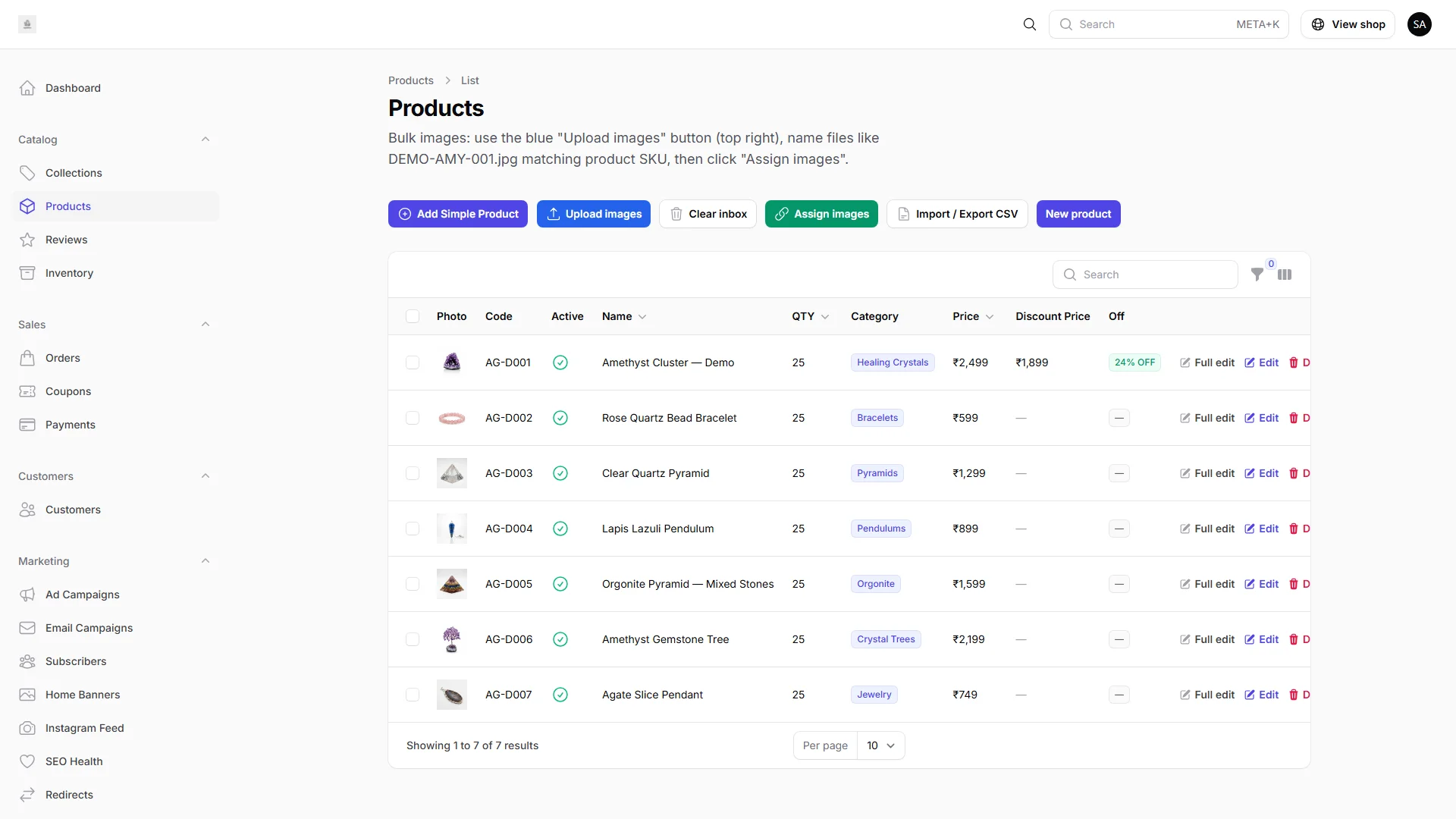
Build your catalog with structured product fields, images, collections, and bulk tools — everything merchants need to merchandise at scale.

IMNORIO admin products list with names, prices, stock levels, and status columns.

Key benefits

  • Filter, sort, and manage price, stock, and status in one table
  • Rich editor for SKU, pricing, categories, and descriptions
  • Multiple images per product with a clear main listing image

Step 3 of 10

Orders

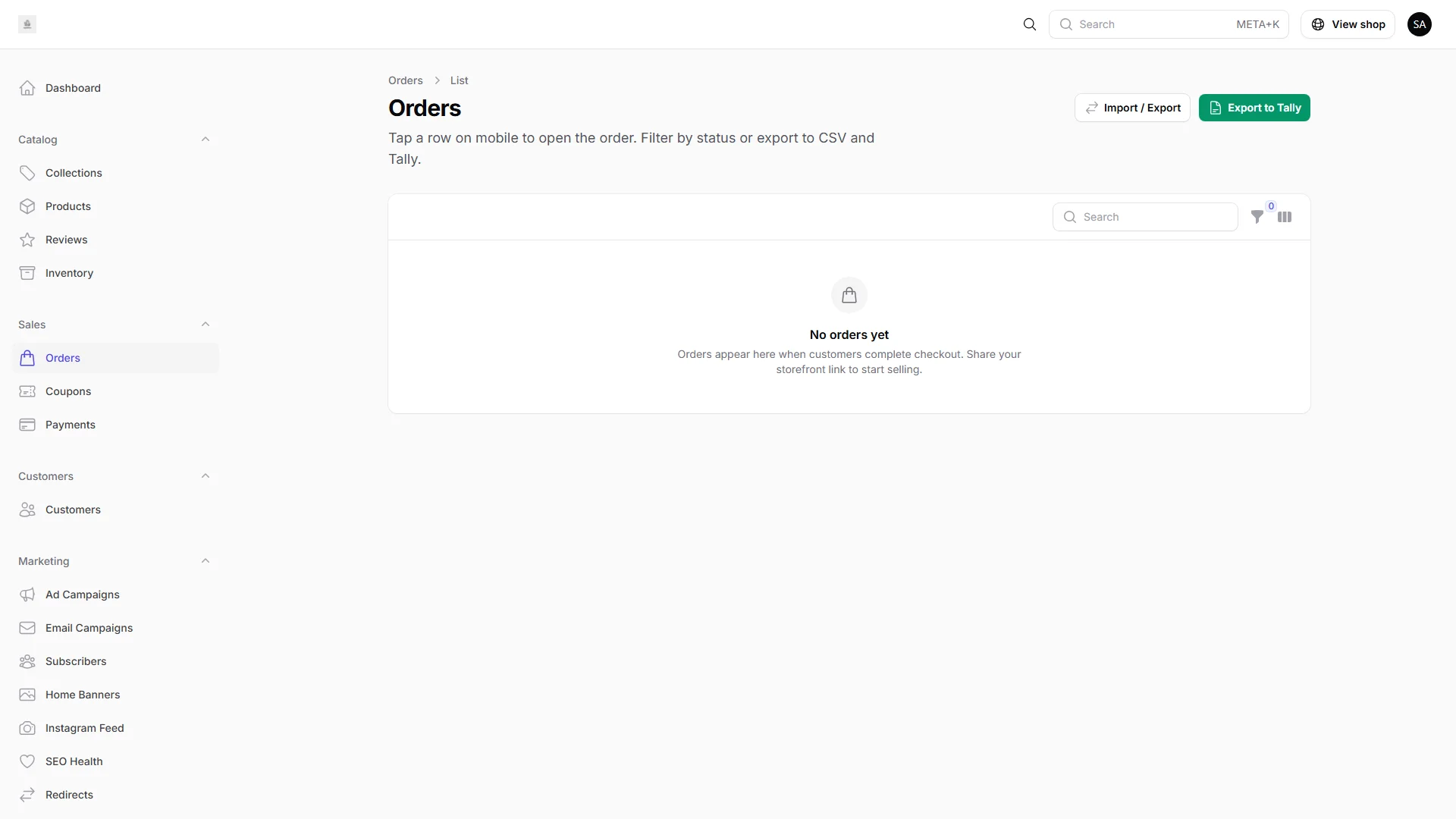
Track every sale from placement to fulfillment — statuses, customer details, invoices, and payment info in one workflow.

IMNORIO admin orders list showing order numbers, customers, totals, and fulfillment statuses.

Key benefits

  • Pending, processing, shipped, and completed at a glance
  • Buyer details and line items on every order
  • Printable invoices and payment status for COD, Razorpay, and Stripe

Step 4 of 10

Customers

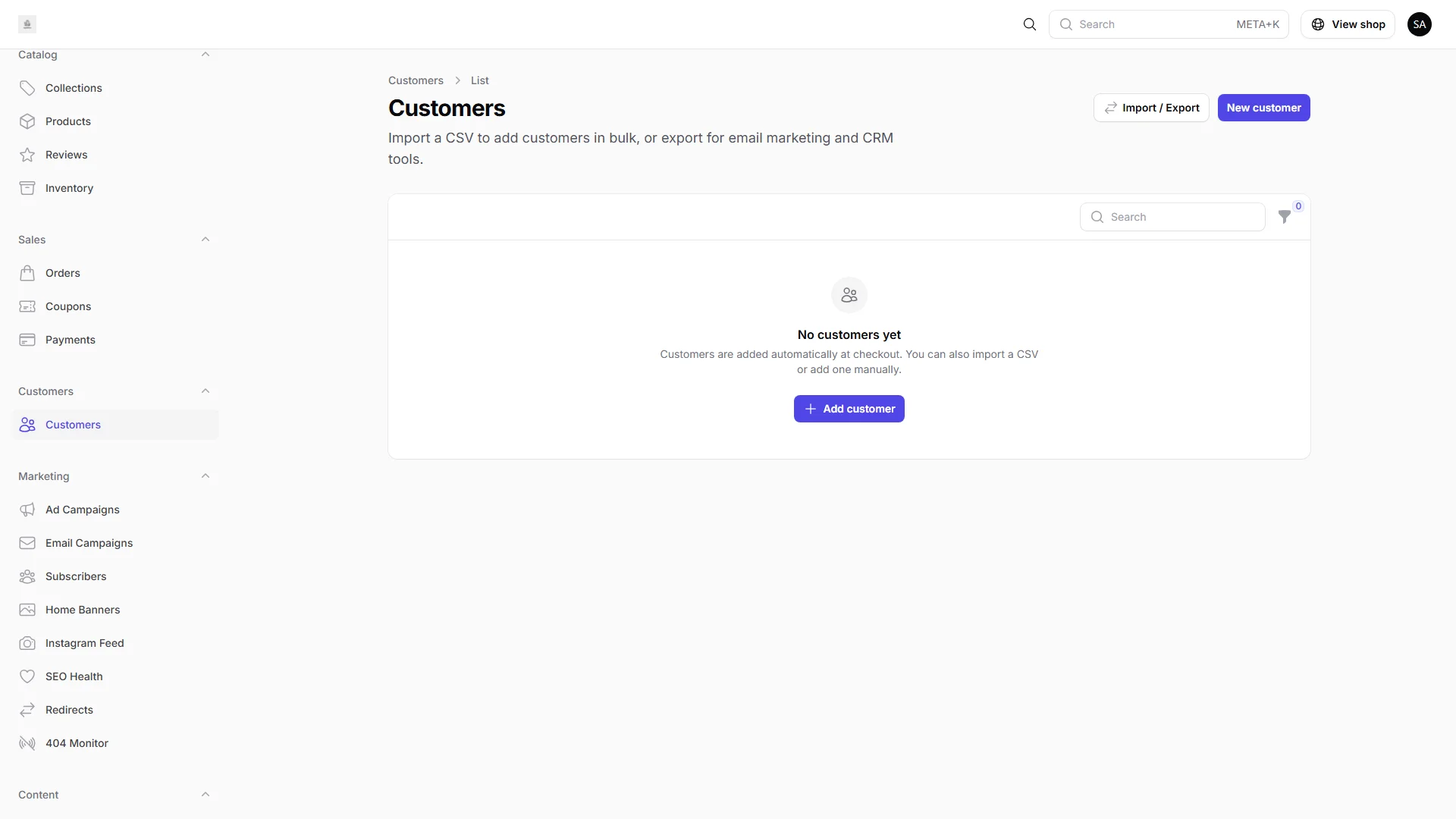
Your customer directory ties contact details to order history so support, repeat sales, and account management stay simple.

IMNORIO admin customers list with names, emails, and order counts.

Key benefits

  • Search names, emails, and order counts instantly
  • Every purchase linked to the customer profile
  • Guest checkout customers appear automatically from orders

Step 5 of 10

Reports

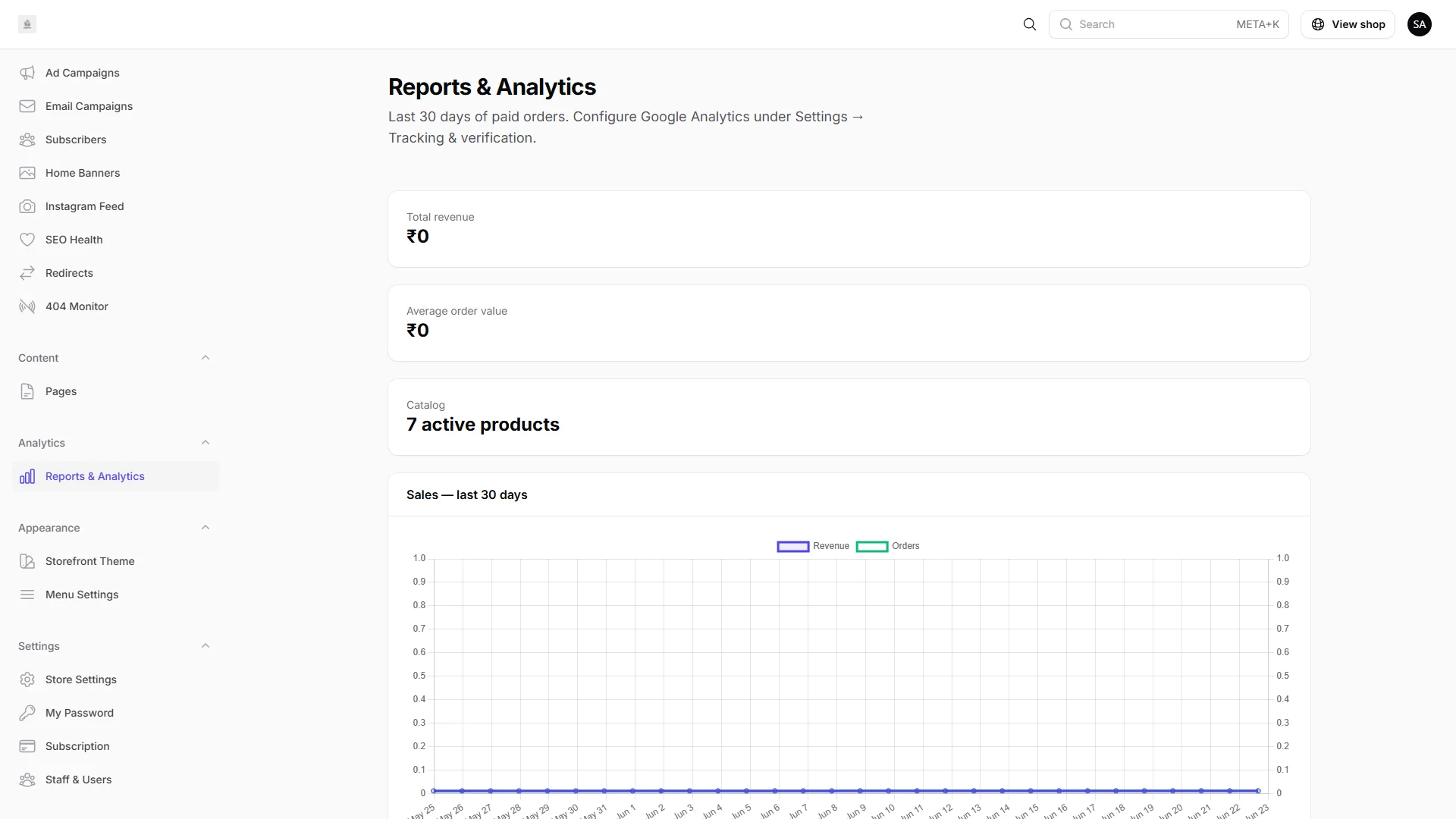
Revenue trends, order volume, and top products live inside your admin — no exporting to Excel or bolting on a separate analytics tool.

IMNORIO reports page with revenue and order trend charts.

Key benefits

  • 30-day revenue and order trend charts
  • Top products by revenue without manual exports
  • Summary metrics including average order value

Step 6 of 10

SEO

Meta titles, descriptions, sitemaps, and product-level SEO fields help your store rank on Google — built in, not patched on later.

IMNORIO store settings showing Social and SEO meta fields.

Key benefits

  • Store-wide default meta title and description
  • Per-product SEO fields on every listing
  • Clean URLs and sitemap-ready catalog structure

Step 7 of 10

Billing

Enable COD, Razorpay, and Stripe from one screen — collect payments your way with gateway settings and payment records alongside orders.

Key benefits

  • Toggle COD, Razorpay, and Stripe without code
  • Connect card payments for any market
  • Audit payment records alongside every order

Step 8 of 10

AI

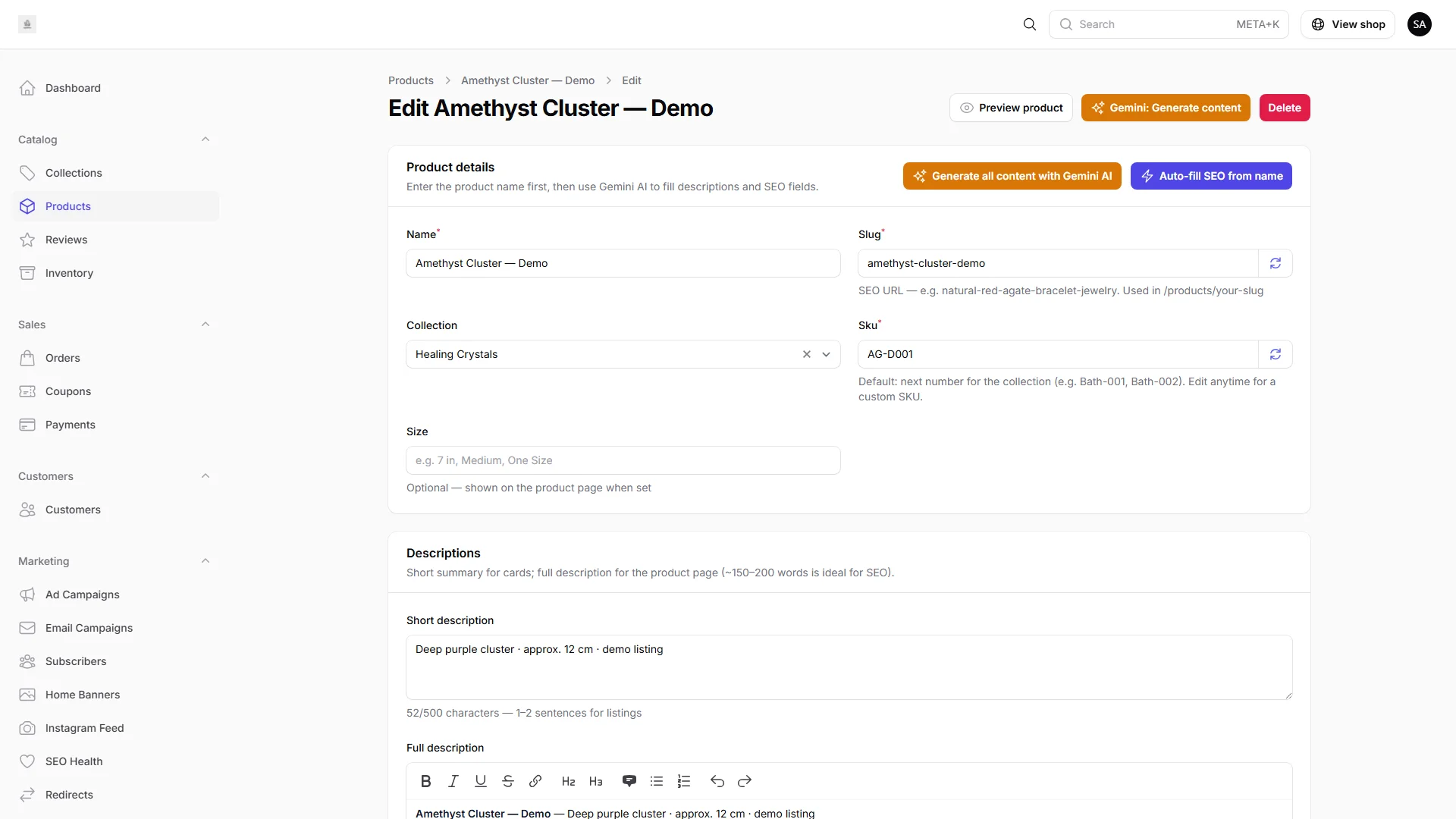
Gemini-powered product descriptions, SEO copy, and banner visuals — draft content in seconds, then edit before publishing.

IMNORIO product editor with Gemini AI content generation.

Key benefits

  • Generate product copy from a few keywords
  • One-click meta title and description suggestions
  • AI banner visuals with full editorial control

Step 9 of 10

Notifications

Instant feedback when you save settings, update orders, or connect integrations — so every action in admin feels responsive and reliable.

Key benefits

  • Clear success toasts after saving store settings
  • Instant confirmation when order status changes
  • Know immediately when AI or payment tools connect

Step 10 of 10

Theme System

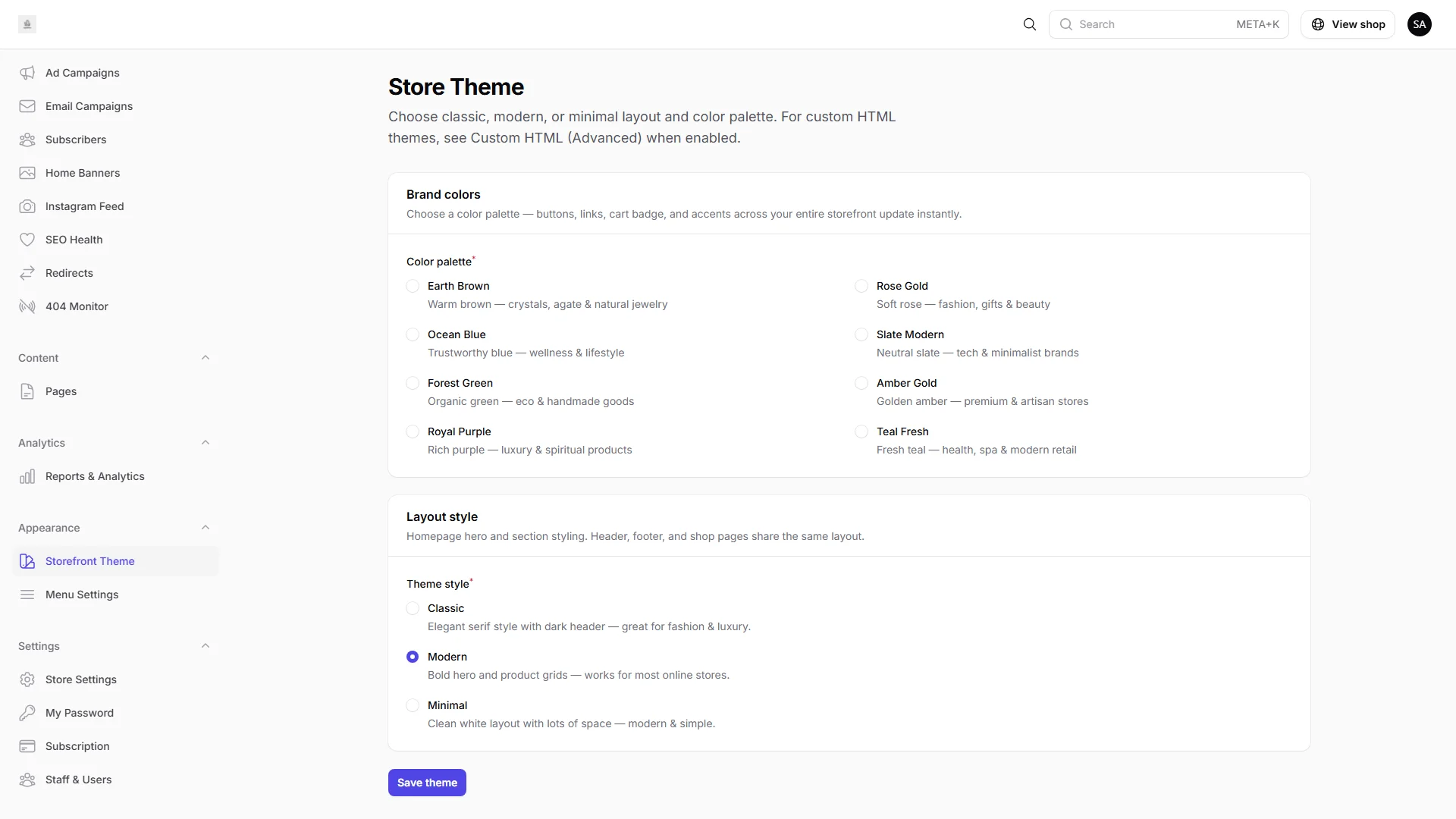
Pick a storefront theme and color palette, customize navigation, and schedule homepage banners — your brand on your domain without writing code.

IMNORIO storefront theme settings with theme selection and color palette options.

Key benefits

  • Theme picker with color palettes that match your brand
  • Header and footer menu settings from one screen
  • Homepage banners and CMS pages for content you control

Ready to build on IMNORIO?

You have seen the admin. Explore the live demo store, pick a plan, or talk to our team about launching on your own domain.

SSL included Setup assistance Reply within 1 business day

Pricing Features Why IMNORIO

Contact